Side by side
Every fact about another tool comes from its own site or docs, or from Claude Code’s terminal docs, checked on the date at the top of this page. Prices change, so check the linked page before you decide.
| Tool | What it is | Platforms | Price and license | When Claude needs you |
|---|---|---|---|---|
| Ghostty | Fast, GPU-accelerated terminal with tabs and splits | macOS, Linux | Free, MIT | Claude Code sends a desktop notification by default |
| iTerm2 | Classic Mac terminal with panes and notifications | macOS | Free, GPL v2 | Desktop notification after you turn on alert forwarding |
| Kitty | GPU-based terminal with tabs, splits and layouts | Linux, macOS, BSD | Free, open source | Claude Code sends a desktop notification by default |
| WezTerm | Terminal and multiplexer with panes, local and remote | Linux, macOS, Windows | Free, open source | Terminal bell or a Notification hook |
| Warp | Agentic development environment built from a terminal | macOS, Linux, Windows | Free plan, paid plans from $20 a month; AGPL v3 | Terminal bell or a Notification hook |
| cmux | macOS terminal built on Ghostty, for coding agents | macOS | Free, GPL | Panes light up, sidebar badges, desktop alerts |
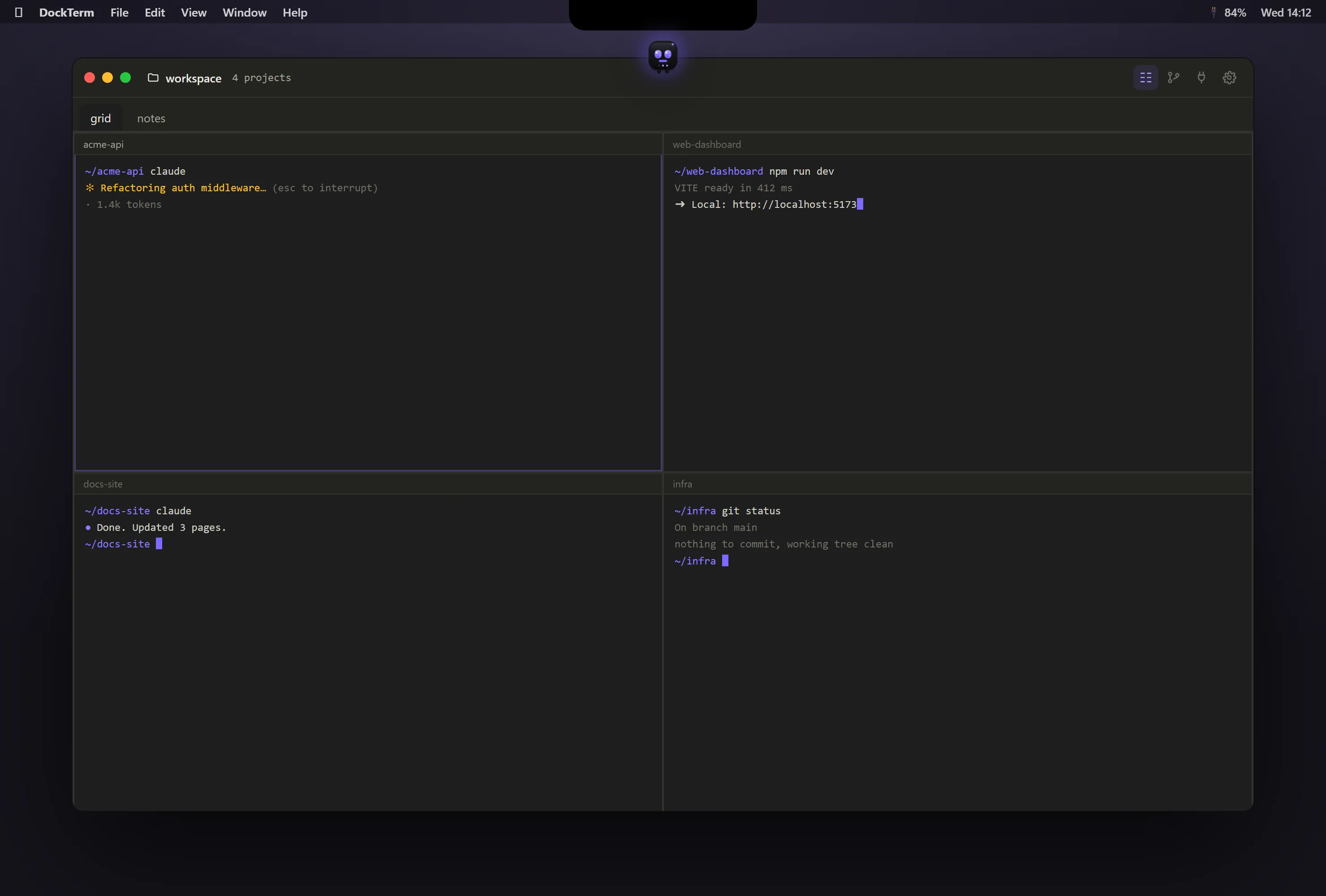
| DockTerm | Terminal workspace for Claude Code: a project per pane, diffs, Git, live subagents | macOS, Windows, Linux | Free, MIT | munu shows the prompt from the notch (over fullscreen apps) on macOS, a pill on Windows and Linux |
Alert behaviour for Ghostty, iTerm2, Kitty, WezTerm and Warp is what Claude Code’s own docs describe. cmux and DockTerm handle it inside the app.
How to choose
- You want the fastest plain terminal and you run one session at a time: Ghostty (Mac, Linux) or Kitty.
- You are on a Mac and already live in iTerm2: keep it, and turn on alert forwarding so Claude can notify you.
- You are on Windows: WezTerm or Warp as a terminal, or DockTerm if you want a workspace around Claude Code.
- You run several Claude sessions across projects and keep missing the moment one needs you: a workspace like DockTerm or cmux.
- You want Claude to answer from the MacBook notch while you watch something fullscreen: DockTerm.
Not a terminal at all
Anthropic also ships a Claude Code desktop app and a VS Code extension. Both give you a graphical chat instead of the CLI. If you prefer the CLI, stay in a terminal: you get every new Claude Code feature as soon as it ships.
Try DockTerm
- Download DockTerm from the latest release, or on a Mac run
brew install --cask munvard/dockterm/dockterm. - Open a project folder. DockTerm starts a real shell in it.
- Run
claudeas you always do. There is nothing to configure.